

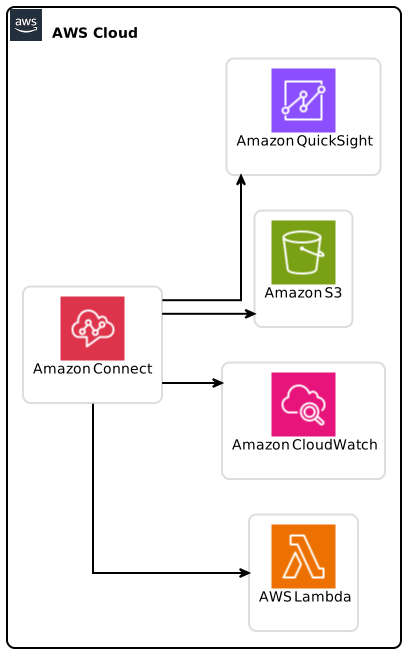
In the ever-evolving landscape of customer service technology, Amazon Connect stands out with its commitment to enhancing user experience. A recent update introduces custom work labels for agent schedules, allowing businesses to streamline their workforce management and improve operational efficiency. This guide will delve deep into this new feature, offering comprehensive insights into its implementation, benefits, and best practices. By the end of this article, you’ll have the knowledge needed to optimize your agent scheduling process using custom work labels.
Table of Contents
- Introduction
- What Are Custom Work Labels?
- Key Benefits of Custom Work Labels
- How to Create Custom Work Labels
- Setting Up Agent Schedules with Custom Labels
- Best Practices for Implementing Custom Work Labels
- Real-World Use Cases
- Integration with Other Amazon Connect Features
- Metrics to Track Success
- Conclusion
Introduction
With the rise of remote work and diversified customer service channels, managing agent schedules has become increasingly complex. The newly introduced custom work labels for agent schedules in Amazon Connect simplify this process. By enabling businesses to designate specific types of work activities per day, organizations can efficiently allocate tasks and responsibilities among their agents. This feature not only enhances clarity but also empowers employees by giving them visibility into their schedule.
What Are Custom Work Labels?
Custom work labels in Amazon Connect allow managers to create and assign unique identifiers for various work activities within the agent scheduling system. For instance, you might have work labels for:
- Order Processing
- Returns Management
- Customer Inquiries
- Technical Support
This feature is crucial for businesses that deal with multiple customer service functions. Custom work labels help supervisors and managers understand the specific tasks an agent is scheduled to complete on any given day.
Benefits of Custom Work Labels:
- Facilitates better workforce management
- Improves agent visibility
- Enhances communication between management and staff
Key Benefits of Custom Work Labels
Understanding the benefits of this new feature can provide a significant competitive advantage for businesses using Amazon Connect. Here are the key advantages:
Improved Task Clarity: By assigning specific work labels, managers can easily see what tasks agents are scheduled for at a glance. This clarity helps in real-time decision-making regarding task allocation.
Enhanced Employee Accountability: Agents can better understand their responsibilities for the day, leading to higher accountability and productivity.
Streamlined Training Processes: New hires can benefit from clear categorizations of their tasks. Using work labels for training can help onboard new agents more effectively.
Efficient Resource Allocation: By recognizing trends in work volume, managers can allocate agents more effectively, ensuring peak periods are adequately covered.
Increased Agent Satisfaction: When agents have visibility into their schedules and understand the types of work they are responsible for, job satisfaction tends to rise.
How to Create Custom Work Labels
Creating custom work labels in Amazon Connect is user-friendly. Follow these simple steps to set up your custom work labels effectively:
Step 1: Access Amazon Connect
Log in to your Amazon Connect console. You’ll need the necessary permissions to manage agent scheduling features.
Step 2: Navigate to Work Schedule Settings
- From the left navigation pane, select “Routing.”
- Under “Routing,” click on “Hours of Operation.”
Step 3: Create Work Labels
- In the Work Labels section, you will find an option to “Create New Work Label.”
- Enter the name of the work label (e.g., “Order Processing”) and provide a description.
- Save your new work label.
Step 4: Assign Work Labels to Agent Schedules
- Select an agent from the Agent Schedule dashboard.
- Choose the day of the week you want to assign the work label to and click “Edit.”
- From the drop-down menu, select the newly created work label to assign it to the schedule.
- Click “Save” to finalize the changes.
Additional Considerations
- Ensure work labels are relevant and easily understood by all team members.
- Regularly review and update work labels to reflect changes in business processes.
Setting Up Agent Schedules with Custom Labels
Once you have created your custom work labels, the next step involves incorporating them into agent schedules. Here’s how to do it:
Step 1: View Your Current Agent Schedules
To get an overview, access the agent scheduling dashboard within Amazon Connect. You can assess current assignments and identify areas for adjustments.
Step 2: Assign the Correct Custom Labels
- For each agent, follow the same process as outlined in the previous section.
- Designate work labels for each day based on expected workloads and types of services required.
- Ensure that there is a mix of regular and special tasks to keep the schedule dynamic.
Step 3: Monitor and Adjust
- Monitor agent performance based on the assigned work labels.
- Be flexible to make real-time changes, especially during high-demand periods.
Best Practices for Implementing Custom Work Labels
Implementing custom work labels is more than just a technical task—it’s about fostering an organized and efficient workplace. Here are some best practices:
Collaborate with Agents: Before finalizing work labels, discuss them with your agents. Their input can provide useful insights into what types of labels would be most beneficial.
Keep it Simple: Avoid creating too many custom work labels. A handful of clearly defined labels will be more effective than numerous vague ones.
Utilize Colors or Icons: If Amazon Connect allows, consider using color codes or icons for different work labels to make them visually distinct.
Regularly Review Effectiveness: Conduct monthly or quarterly reviews to determine if the custom work labels adequately reflect the workflow and adjust as needed.
Training and Documentation: Provide adequate training for your managers on how to use custom work labels effectively. Document the processes in a shared resource for easy access.
Real-World Use Cases
Let’s explore some scenarios in which businesses have used custom work labels to enhance their operational efficiency in Amazon Connect:
Use Case 1: E-Commerce Company
An e-commerce business utilized custom work labels to distinguish between various customer service tasks:
- “Order Processing” for team members handling new purchases
- “Returns Management” for processing returns
- “Customer Inquiries” for general questions and support
This organization saw a 25% increase in response time as agents could focus solely on their assigned tasks.
Use Case 2: Tech Support
For a technology support company, custom work labels such as “Technical Assistance” and “Software Troubleshooting” allowed agents to hone their skills in specific areas of expertise. This specialization led to better customer satisfaction results, with customer feedback ratings soaring by 30%.
Use Case 3: Multi-Channel Customer Service Center
A company handling multiple communication channels, such as chat, email, and phone, found custom work labels invaluable. By creating labels like “Chat Support” and “Phone Support,” managers ensured personnel were best suited to handle specific customer interactions, reducing wait times significantly.
Integration with Other Amazon Connect Features
Custom work labels complement other features of Amazon Connect, enhancing overall functionality. Here’s how they integrate with existing features:
1. Contact Flows
Using custom work labels within contact flows can optimize the routing of calls and chats based on agents’ scheduled activities. For example, a contact flow might direct customer inquiries to agents with the “Customer Support” label.
2. Reporting and Analytics
By incorporating custom work labels into your reporting setups, managers gain deeper insights into agent workloads. This data can assist organizations in forecasting and staffing needs.
3. Automation
Automation capabilities within Amazon Connect can trigger alerts or notifications based on specific work labels. For instance, if a heavy volume of returns is expected one week, managers can proactively adjust agent schedules.
Metrics to Track Success
To evaluate the effectiveness of using custom work labels, consider the following metrics:
- Agent Response Times: Track whether response times improve after implementing labels.
- Customer Satisfaction Scores: Monitor feedback from customers to see if satisfaction ratings rise.
- Agent Turnover Rate: A decrease in turnover may indicate higher job satisfaction due to clear responsibilities.
- Workload Distribution: Analyze the distribution of work among agents to ensure no one is overburdened.
Conclusion
The introduction of custom work labels for agent schedules in Amazon Connect marks a significant advancement in workforce management tools. This feature enhances clarity, fosters accountability, and simplifies task allocation—all essential for today’s dynamic business environment. By leveraging the actionable insights provided in this guide, organizations can optimize their customer service operations for improved efficiency and satisfaction.
Key Takeaways:
- Custom work labels improve task clarity and employee accountability.
- The easy process of setting up work labels allows for flexible scheduling.
- Implementing best practices ensures maximum effectiveness of this feature.
- Regular evaluation of custom work labels related metrics can guide further improvements.
Future Predictions:
As businesses continue to evolve, features like custom work labels will play a vital role in creating adaptable and efficient customer service teams. The focus will shift to more specialized roles, enhancing customer interactions across platforms.
For more detailed information on Amazon Connect and how it can empower your business, learn more here.
Your journey towards improved agent scheduling with custom work labels in Amazon Connect starts now!