

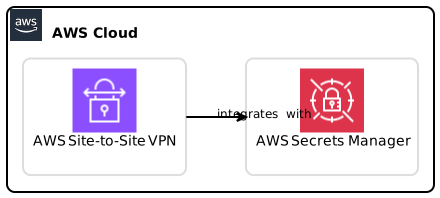
In the rapidly evolving landscape of cloud services, security remains a paramount concern for organizations leveraging AWS (Amazon Web Services). The AWS Site-to-Site VPN service plays a significant role in enabling secure connectivity between on-premises networks and AWS infrastructure. This guide delves into the newly extended capabilities of AWS Site-to-Site VPN, focusing on its integration with AWS Secrets Manager, available in additional AWS Regions such as AWS GovCloud (US) and the AWS Europe (Milan) Region.
Overview of AWS Site-to-Site VPN
AWS Site-to-Site VPN establishes a secure connection between your data center or office environment and your Amazon Virtual Private Cloud (VPC). By creating a VPN connection, you can securely send data between your infrastructure and AWS services.
Key Features of AWS Site-to-Site VPN
- Encryption: The service uses industry-standard protocols to encrypt data in transit, ensuring secure communication.
- Integration with AWS Services: Seamlessly integrates with other AWS services, enhancing overall security and functionality.
- Redundancy and Failover: Provides options for high availability and redundancy for uninterrupted service.
- Ease of Configuration: User-friendly setup based on well-documented best practices.
As organizations increasingly adopt hybrid cloud architectures, the importance of robust security measures to protect sensitive information cannot be overstated.
Advantages of Using AWS Secrets Manager with Site-to-Site VPN
The new AWS Secrets Manager integration offers multiple advantages for enhancing the security and management of pre-shared keys (PSKs) used in Site-to-Site VPN connections.
Enhanced Security Measures
- Redacted API Responses: When you store your PSKs in Secrets Manager, the VPN connection API responses will redact sensitive PSK information and only return the Secrets Manager ARN (Amazon Resource Name). This significantly reduces the exposure of sensitive keys during API interactions.
- Centralized Secret Management: Secrets Manager provides a centralized service to manage access and version control for your secrets like PSKs.
Streamlined Operations
- Reduced Operational Overhead: Integrating PSKs with Secrets Manager eliminates the need to access sensitive PSK values regularly. The API workflow becomes simpler while enhancing security.
- Automated Rotation: Combined with Secrets Manager, you can automate the rotation of your PSKs, thus enhancing security practices without disrupting connectivity.
Setting Up AWS Secrets Manager Integration
To leverage AWS Secrets Manager’s capabilities with your Site-to-Site VPN, follow these actionable steps:
Step 1: Creating a Secret in AWS Secrets Manager
- Navigate to the AWS Management Console and select Secrets Manager.
- Click on Store a new secret.
- Choose Other type of secrets, and then input your pre-shared key (PSK).
- Provide a name for your secret and select any optional key/value pairs.
- Save the secret and note the ARN for future reference.
Step 2: Configuring Site-to-Site VPN with Secrets Manager
- Go to the VPC Dashboard in the AWS Management Console.
- Select VPN Connections and initiate the setup for a new VPN connection.
- During the configuration, instead of entering the PSK directly, specify the ARN from Secrets Manager.
- Complete the VPN configuration and establish the connection.
Step 3: Testing the Configuration
After configuring your VPN connection, ensure everything functions as expected by conducting the following tests:
- Use the GetActiveVpnTunnelStatus API to validate your VPN connection and negotiate parameters such as IKE version and cipher suites.
- Confirm that API responses do not reveal the PSK but instead show the ARN.
New API Features to Enhance Monitoring
With these integrations, AWS has also released new APIs that are worth exploring for enhanced monitoring and configuration optimization.
GetActiveVpnTunnelStatus API
This API allows you to track several key parameters related to your active VPN tunnels:
- Negotiated IKE Version: Determine which version is currently being used for the API connection.
- Diffie-Hellman Groups: Review which DH groups are utilized for key exchanges.
- Encryption and Integrity Algorithms: Monitor which algorithms are implemented for encryption and ensuring data integrity.
By utilizing this API, you eliminate concerns over enabling Site-to-Site VPN logs just for obtaining this information, thus simplifying your operational overhead.
GetVpnConnectionDeviceSampleConfiguration API
This API has also seen an update with a new recommended parameter that helps append best-practice recommendations for configuration:
- IKE Version: Use IKE version 2 for enhanced security.
- Diffie-Hellman Group: Commonly recommended to use DH group 20.
- Integrity Algorithm: SHA-384 is suggested as a strong integrity algorithm.
- Encryption Algorithm: AES-GCM-256 for optimal encryption strength.
This feature ensures that security configurations align with AWS’s current best practices.
Best Practices for AWS Site-to-Site VPN Configuration
When configuring your Site-to-Site VPN and integrating it with AWS Secrets Manager, consider these best practices:
- Regularly Update Secrets: Make use of AWS Secrets Manager’s rotation capabilities to ensure that secrets are not static, thus reducing potential risks.
- Minimum Privilege Principle: Set up IAM policies to ensure that only necessary services and users have access to your VPN-related secrets.
- Monitoring and Alerts: Implement alerts for unauthorized access attempts to your Secrets Manager secrets, ensuring you are aware of potential security threats.
- Documentation: Maintain thorough documentation for configurations, changes made, and policies established, to streamline troubleshooting and audits.
Troubleshooting Common Issues
Connection Errors
If you face issues establishing the VPN connection:
- Confirm that the ARN of the stored PSK matches the expected input in the VPN setup.
- Validate your VPC route tables and security group settings to ensure proper traffic flow.
- Use the GetActiveVpnTunnelStatus API to retrieve real-time status and troubleshoot accordingly.
API Response Issues
If you are experiencing undesired output from the API:
- Double-check that your Secrets Manager IAM permissions are correctly set for accessing the stored secrets.
- Ensure that the correct PSK ARN is used, and there are no typographical errors.
Performance Lag
For any performance-related issues:
- Analyze the network performance metrics and compare them against baseline performance.
- Investigate any potential resource constraints within your VPC or on-premise environment impacting connectivity.
Conclusion
Integrating AWS Secrets Manager with AWS Site-to-Site VPN introduces robust security enhancements, streamlining configuration and reducing operational overhead. By implementing best security practices, monitoring for potential issues, and leveraging new API capabilities, organizations can significantly enhance their cloud security posture.
As cloud environments and applications continue to evolve, staying updated on new features and integration capabilities is essential for maintaining a secure and high-performing infrastructure.
Call to Action
For organizations looking to enhance their AWS Site-to-Site VPN implementations, now is the time to explore and utilize the newly integrated features with AWS Secrets Manager. For more information, check out the AWS Site-to-Site VPN documentation for comprehensive guidance.
In conclusion, the AWS Site-to-Site VPN service offers invaluable features that improve the security and efficiency of your cloud infrastructure while handling sensitive information. By centering your security practices around AWS Secrets Manager, you can ensure a safer, more compliant, and operational cloud environment. Remember to continuously monitor your configuration and update it as necessary to maintain a strong security posture.