

In today’s digital landscape, ensuring the security and performance of web applications is paramount. AWS WAF (Web Application Firewall) now includes a feature known as ASN Match Support, which allows users to enhance their security posture by monitoring incoming requests against Autonomous System Numbers (ASNs). This comprehensive guide explores how to effectively use this new feature to mitigate risks associated with malicious traffic, enhance compliance, and optimize application performance.
What is ASN Match Support?
Introduction to ASN Matching
With AWS WAF’s ASN Match Support, you can quickly and easily specify a list of ASNs to match incoming requests. The flexibility of this new match statement allows for enhanced traffic control by blocking or allowing requests based on their ASN. This is particularly useful for businesses that want to bolster their defenses against potential DDoS attacks, data scraping, and unauthorized access attempts.
The Importance of ASNs in Security
Autonomous System Numbers are unique identifiers assigned to networks or internet service providers (ISPs), allowing them to manage routing across the Internet. By controlling traffic based on ASN, you can effectively:
- Restrict access from identified malicious networks.
- Optimize performance by managing traffic sources.
- Ensure compliance with legal and regulatory requirements.
Key Features of AWS WAF ASN Match Support
Seamless Integration with Existing WAF Rules
AWS WAF’s ASN Match Statement is designed to integrate with your existing rules effortlessly. This means you can enhance your web application defenses without needing to overhaul your current setup. Here are key features:
- Easy to Implement: Add ASN Match Statements directly to your existing rules.
- Cost-Effective: No additional costs for using ASN Match Statements—only standard AWS WAF charges apply.
- Comprehensive Coverage: Available in all regions where AWS WAF is supported.
Rate-Based Rules with ASN Support
In addition to blocking or allowing requests based on ASN, AWS WAF now supports rate-based rules that utilize ASNs. This allows businesses to:
- Count Requests: Aggregate requests based on defined criteria.
- Set Rate Limits: Establish limits on how many requests can come from a specific ASN over a specified time frame.
- Mitigate DDoS Attacks: Detect and block unusual patterns associated with malicious traffic.
How to Implement ASN Match Support in AWS WAF
Step 1: Understand Your Traffic Sources
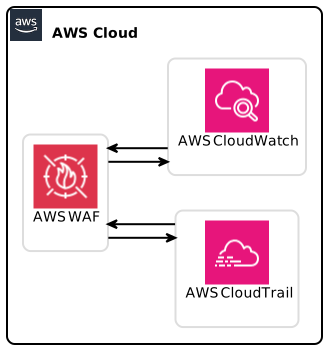
Before implementing ASN matching, analyze your incoming traffic. Identify ASNs that typically engage or attack your application. Tools available in AWS, such as AWS CloudTrail or AWS CloudWatch, can help you monitor and understand incoming request patterns.
Step 2: Configure AWS WAF
Configurating AWS WAF to utilize ASN Match Support is straightforward. Follow these steps:
- Log in to the AWS Management Console and navigate to the AWS WAF dashboard.
- Create or Update a Web ACL (Access Control List):
- In the Web ACL, choose to add a new rule.
- Select “Add rule” and choose ASN Match Statement.
- Specify Controlled ASNs:
- Input the list of ASNs you wish to block or allow.
- Define the action (Block or Allow).
- Integrate with Rate-Based Rules if Required:
- Go to the section for rate-based rules and define your parameters along with ASN matching.
- Test Your Configuration: Ensure to run tests to verify that the configurations work as intended.
Step 3: Monitor and Adjust
After your implementation, don’t forget to monitor your AWS WAF metrics frequently. Use tools like AWS CloudWatch Alarms to track the number of requests being handled per ASN. Adjust your ASN listing based on the ongoing analysis to continuously strengthen security.
Best Practices for Using ASN Match Support
Regularly Review ASN Lists
Regularly reviewing and updating your ASN lists is crucial. Malicious actors frequently change tactics, and staying ahead will require adjustment of your configurations. Use sources like APNIC or RIPE to stay informed about ASN relations.
Combine ASN Matching with Other Security Measures
ASN matching should be part of a broader security strategy. Consider integrating with other AWS security services such as:
- AWS Shield for DDoS protection.
- AWS Lambda to automate responses to insecure traffic patterns.
Conduct Performance Assessments
After implementing ASN Match Statements, conduct performance assessments to see how it affects your application’s response times and availability. Optimizing routes based on ASN can significantly affect user experience.
Multimedia Recommendations for Better Understanding
Diagrams
- Consider adding a flowchart that shows how requests are evaluated in AWS WAF when ASN Match Statements are involved.
- Infographics that compare traffic volume from different ASNs before and after implementing ASN Match can illustrate effectiveness.
Video Tutorials
Host video tutorials or links to webinars that explain how to set up and optimize AWS WAF with ASN matching. This will greatly help users unfamiliar with AWS.
Conclusion
The launch of ASN Match Support in AWS WAF marks a significant advancement in protecting web applications. By applying ASN-based controls, businesses can bolster their defenses against malicious traffic, streamline compliance, and potentially improve performance. Regularly reviewing and optimizing your settings is crucial as cyber threats evolve.
Key Takeaways
- Understand ASNs: Know which ASNs to allow or block for your business.
- Integrate Efficiently: Use ASN Match Statements within your existing WAF configurations.
- Monitor Updates: Regularly consult ASN data sources and AWS tools to keep your defenses robust.
As cybersecurity threats grow in complexity, leveraging every tool at your disposal, including AWS WAF ASN Match Support, will be vital to maintaining security and compliance in the digital realm. For further information and detailed instructions, visit the AWS WAF Documentation.
AWS WAF ASN Match Support – a game changer in web application security!