
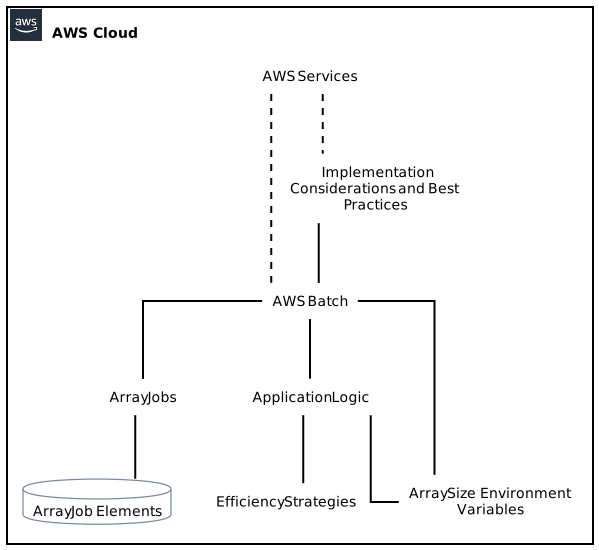
In today’s rapidly evolving computational landscape, efficient data processing is crucial. AWS Batch, a fully managed service by Amazon Web Services (AWS), provides an excellent solution for scheduling and executing batch computing jobs. With the recent introduction of array size environment variables, AWS Batch has taken a significant step towards empowering developers to optimize their applications for parallel processing, leading to improved performance and scalability.
Understanding AWS Batch Array Jobs
Before delving into the details of the array size environment variable, let’s gain a solid understanding of AWS Batch array jobs. AWS Batch simplifies the process of executing large-scale batch computations efficiently by managing the infrastructure, queuing systems, and job scheduling. With AWS Batch, you can focus on developing your applications and leave the heavy lifting of managing resources to AWS.
An array job in AWS Batch refers to a collection of independent but similar jobs, known as job array elements. Typically, these elements share the same job definition, but differ in their input parameters or data. AWS Batch manages the execution of each job array element independently, allowing for optimal workload distribution and parallel processing.
Harnessing the Power of Array Size Environment Variables
With the introduction of array size environment variables, AWS Batch has opened up new dimensions for optimizing parallel processing within a job array. This exciting feature enables customers to utilize the array size – the total number of job array elements – within their application logic. Let’s dive into the various ways to leverage this environment variable for maximum efficiency.
1. Dynamic Resource Allocation
The array size environment variable empowers users to dynamically allocate computational resources based on the size of the job array. For example, when processing a large-scale dataset, you can divide the workload evenly across the job array elements, ensuring efficient utilization of resources. By dynamically adjusting resource allocation, AWS Batch minimizes idle resources and maximizes throughput.
2. Smart Data Partitioning
Data partitioning is a common technique used in parallel processing to distribute the workload across multiple processing units. The array size environment variable allows developers to intelligently partition their data based on the job array size. By doing so, you can optimize the data distribution strategy and avoid any data skew that might arise due to uneven workload distribution.
3. Load Balancing for Elasticity
One of the key benefits of leveraging a cloud-based computing service like AWS Batch is its elasticity. By using the array size environment variable in combination with AWS Batch’s auto-scaling capabilities, you can achieve effective load balancing. As the array size fluctuates, AWS Batch automatically scales up or down, allocating and releasing resources as required to maintain optimal performance and maximize cost-efficiency.
4. Adaptive Job Scheduling
The array size environment variable allows for adaptive job scheduling based on the available computational resources. With access to this information, AWS Batch can intelligently prioritize the execution of job array elements, considering factors such as the current workload, resource availability, and user-defined preferences. This adaptive job scheduling approach minimizes resource contention and ensures timely completion of critical tasks.
5. Parallelized Data Transformation
Array size environment variables provide an excellent opportunity to parallelize data transformation tasks within a job array. By incorporating parallel processing techniques, such as map-reduce or divide-and-conquer, you can achieve significant improvements in data processing speed. The array size environment variable acts as a catalyst, facilitating efficient data splitting and merging across job array elements.
6. Facilitating Error Handling and Resilience
In complex computational workflows, error handling and resilience are significant factors for ensuring consistent and reliable results. The array size environment variable aids in effective error handling by improving the granularity of error reporting. By associating error logs with specific job array elements, diagnosing and debugging issues becomes easier, streamlining the troubleshooting process and minimizing downtime.
7. Enhanced Monitoring and Analytics
With the help of array size environment variables, AWS Batch provides enhanced monitoring and analytics capabilities. By capturing and analyzing data specific to each job array element, you can gain valuable insights into the performance and behavior of your parallel processing workflows. Monitor resource utilization, job completion rates, and individual job statistics to fine-tune your application and boost overall efficiency.
8. Seamless Integration with Existing Systems
The addition of array size environment variables with AWS Batch greatly enhances its compatibility with existing systems. If your applications already rely on environment variables for configuration or data retrieval, incorporating the array size environment variable becomes a seamless process. This allows you to leverage the power of parallel processing without the need for extensive modifications.
9. Flexible Array Sizing Strategies
AWS Batch offers various strategies to define the size of job arrays, providing utmost flexibility. You can manually specify the array size, allowing for customization as per your specific requirements. Alternatively, AWS Batch allows you to define array size based on the number of items in an Amazon Simple Storage Service (S3) bucket, a DynamoDB table, or even by generating a number range. This flexibility enables adaptive scaling and processing based on your dataset characteristics.
10. Compatibility with Third-Party Libraries and Frameworks
The support for array size environment variables makes AWS Batch even more compatible with popular third-party libraries and frameworks. If you are using frameworks like TensorFlow, PyTorch, or Apache Spark, you can seamlessly incorporate the array size environment variable into your applications. This compatibility allows you to leverage the vast ecosystem of tools, libraries, and frameworks available for parallel processing and distributed computing.
Implementation Considerations and Best Practices
To make the most out of AWS Batch array jobs and array size environment variables, it is essential to consider certain implementation considerations and follow best practices. Here are some key points to keep in mind:
1. Efficient Data Partitioning:
Ensure that your data partitioning strategy aligns with the array size to maximize the benefits of parallel processing. Consider data characteristics, distribution, and any dependencies to design an effective partitioning approach.
2. Monitoring and Error Handling:
Configure robust monitoring and error handling mechanisms to capture detailed information about each job array element. Leverage AWS CloudWatch Logs and other relevant services to enable efficient troubleshooting and timely intervention.
3. Scalability and Optimization:
Periodically assess and optimize resource allocation and job scheduling strategies as your array size dynamically changes. Leverage autoscaling, spot instances, and AWS Batch’s planning capabilities to achieve cost-efficiency and adaptability.
4. Resource Utilization:
Keep a close eye on resource utilization metrics such as CPU, memory, and network bandwidth to avoid over or underutilization. Fine-tune your job definitions and resource allocation based on the observed patterns and workload characteristics.
5. Security and Access Control:
Adhere to AWS security best practices to ensure the integrity and confidentiality of your data and applications. Implement appropriate access controls and permissions to prevent unauthorized access or modifications to your AWS Batch resources.
Conclusion
The introduction of array size environment variables in AWS Batch has paved the way for enhanced efficiency in parallel processing and batch computations. By leveraging the array size environment variable, developers can dynamically allocate resources, optimize data partitioning, enable load balancing, and improve overall performance. AWS Batch, with its capabilities and compatibility, provides an ideal platform to incorporate parallel processing into your applications seamlessly. Adopting best practices and implementing efficient strategies will unlock the full potential of AWS Batch array jobs and array size environment variables, enabling you to process vast amounts of data with speed, accuracy, and scalability.