

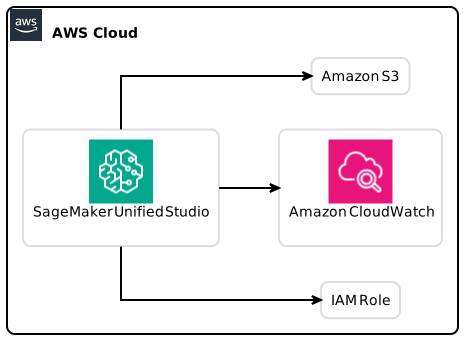
Upgrading from SageMaker Studio to SageMaker Unified Studio can be crucial for developers and data scientists looking to enhance their machine learning workflow. This comprehensive guide will walk you through the steps necessary for a seamless upgrade while ensuring your existing resources and access controls remain intact. As Amazon continues to evolve its machine learning services, being well-informed about these transitions can help you stay ahead in your projects.
Table of Contents
- Introduction
- Understanding SageMaker Studio and Unified Studio
- 2.1. Overview of SageMaker Studio
- 2.2. Features of SageMaker Unified Studio
- Benefits of Upgrading to Unified Studio
- Preparing for the Upgrade
- 4.1. Check System Dependencies
- 4.2. Backup Existing Resources
- Step-by-Step Upgrade Process
- 5.1. Accessing the Upgrade Tool
- 5.2. Configuring Identity and Access Management
- 5.3. Importing Resources
- Post-Upgrade Steps
- 6.1. Verifying resource accessibility
- 6.2. Training Jobs and Inference Endpoints
- Maintaining Control and Security
- Troubleshooting Common Issues
- Additional Resources and References
- Conclusion
Introduction
Transitioning from SageMaker Studio to SageMaker Unified Studio is not just an upgrade; it’s a strategic move for any organization leveraging the capabilities of Amazon’s machine learning ecosystem. With new features aimed at enhancing collaboration, efficiency, and usability, this guide will equip you with actionable insights, helping you navigate the upgrade process smoothly. You’ll learn about features of both platforms, the benefits of moving to Unified Studio, practical steps to prepare for the transition, and other essential elements that will make this process seamless.
Understanding SageMaker Studio and Unified Studio
2.1 Overview of SageMaker Studio
Amazon SageMaker Studio is an integrated development environment (IDE) specifically designed for data science and machine learning. It provides a set of features that allow users to build, train, and deploy machine learning models in a streamlined manner. Some of its key functionalities include:
- Jupyter-Based Interface: A customizable interface that allows users to write code, visualize data, and produce results within the workspace.
- Built-in Algorithms: SageMaker offers various built-in algorithms that can be used for different types of tasks.
- Model Monitoring: Users can monitor and manage models throughout their lifecycle.
2.2 Features of SageMaker Unified Studio
SageMaker Unified Studio builds upon the advantages of SageMaker Studio while incorporating additional features to improve user experience. Key features include:
- Integrated Collaboration: Enhanced tools for team collaboration, allowing multiple users to work together more effectively.
- Unified Interfaces: A common interface for both data science and engineering teams, allowing a more cohesive workflow across departments.
- Better Resource Management: Enhanced controls for users and administrators managing resources, improving efficiency on data usage.
Benefits of Upgrading to Unified Studio
- Enhanced Usability: Unified Studio’s interface facilitates easier navigation, making it more accessible for newcomers.
- Collaboration: Teams can now work concurrently on the same project space, boosting productivity.
- Consistency in Access Controls: The upgrade tool maintains previous user permissions, ensuring that all project stakeholders retain their necessary access.
- Accessibility of Resources: Users can continue accessing resources from both platforms during the transition.
- Increased Performance: The latest version optimizes resource usage, potentially enhancing model training and deployment times.
Preparing for the Upgrade
Preparation is key to a successful upgrade experience. Here are essential steps to consider:
4.1 Check System Dependencies
Verify the compatibility of your current environment with Unified Studio. Ensure that all libraries and tools you are using are compatible with the new studio.
4.2 Backup Existing Resources
Before initiating the upgrade, it’s crucial to back up existing projects, models, and any relevant configurations. This step ensures you won’t lose critical components during the transition.
Step-by-Step Upgrade Process
Taking the right steps during the upgrade will ensure a seamless transition.
5.1 Accessing the Upgrade Tool
- Log in to your SageMaker console.
- Navigate to the upgrade section typically found in the settings or tools menu.
- Download and install the open-source upgrade tool, following the provided guidelines.
5.2 Configuring Identity and Access Management
- Review existing IAM roles and policies to determine what needs to be retained.
- Ensure that any modifications maintain consistency with existing access controls and workflows.
5.3 Importing Resources
- Using the upgrade tool, initiate the import process for resources like JupyterLab spaces, training jobs, and pipelines.
- Monitor the import progress for any errors or interruptions, addressing them promptly.
Post-Upgrade Steps
Once your upgrade is complete, there are several tasks to follow up on to ensure everything functions correctly:
6.1 Verifying Resource Accessibility
Post-upgrade, ensure that all resources are accessible. Check if:
- JupyterLab and CodeEditor spaces are intact.
- All models and pipelines remain operational.
6.2 Training Jobs and Inference Endpoints
Confirm that:
- Any ongoing or scheduled training jobs are unaffected.
- Inference endpoints have retained their functionality.
Maintaining Control and Security
During and after the upgrade process, maintaining control over user access and security settings is paramount. Use these steps:
- Review IAM Policies: Ensure that all user permissions align with current project needs.
- Monitor Activity Logs: Keep an eye on user activity to maintain an overview of operations post-upgrade.
- Train Users: Provide training sessions to familiarize your team with Unified Studio’s interface and features.
Troubleshooting Common Issues
Here are some potential issues that may arise during the upgrade process and how to troubleshoot them:
- Access Denied Errors: Review IAM configurations to ensure permissions are correctly set.
- Resource Incompatibility: Check the compatibility of libraries and runtimes with Unified Studio, adjusting as necessary.
- Slow Performance: This could be a result of resource allocation settings. Verify configurations to align with optimal performance.
Additional Resources and References
As you prepare for your upgrade, you may find the following resources helpful:
- Amazon SageMaker Documentation
- GitHub Repository for Upgrade Tool
- Best Practices for Machine Learning in AWS
Conclusion
The transition from SageMaker Studio to SageMaker Unified Studio provides a multitude of benefits, from enhanced collaboration features to improved usability and resource management. Ensuring a smooth upgrade experience involves thorough preparation, following actionable steps, and retaining control over access and resources.
By following this comprehensive guide, you will find that migrating to Unified Studio not only meets your current operational needs but also positions you for future advancements in machine learning capabilities. Embrace the change, and leverage the new features available in Unified Studio for ongoing growth in your machine learning journey.
Ultimately, upgrading experience from Amazon SageMaker Studio to SageMaker Unified Studio is worth undertaking for a better, more collaborative data science and machine learning experience.